31 December 2019
Gifts from Google
I think I forgot to make this announcement on here. It was a process that was a little intimidating to me but once I sat down and put my mind to it. In October I achieved a HUGE goal of mine to become a...

Yay! Look...I'm even listed in the Google Trainer directory! I have been busy since creating a lot of new staff development for teachers at my school...and I look forward to sharing it with you too!

GOOGLE CERTIFIED TRAINER!
Yay! Look...I'm even listed in the Google Trainer directory! I have been busy since creating a lot of new staff development for teachers at my school...and I look forward to sharing it with you too!
So you know I really love G Suite for Education? You know why? Did you know the amazing amount of ways that G Suite for Education and its apps can make life easier in your classroom? In the slide deck below, I share with you some of the gifts Google provides through G Suite for Education and more...
I hope you enjoy all of these tips and tricks...in the comments below tell me which one blew your mind the most!



12 November 2019
Embed Google Slides in your LMS
Hey y'all! Google Slides are an amazing tool that can be used in soooooo many amazing ways. If you are able to embed in your Learner Management System...Google Slides make putting information out there in easy ways! Here is are some quick examples of how to use Google Slides in BrightSpace/D2L that I put together for my teachers. Get a template of each Google Slide deck in the link under under each example...
17 March 2019
Another quick freebie -- Note and Quote Sticky Notes
I wanted to share another something else that I designed in Tony Vincent's Classy Graphic class!
I designed a set of black and white sticky notes...Happy Notes and Quotes. Inside the file is a link to directions on how to print these sticky notes for yourself
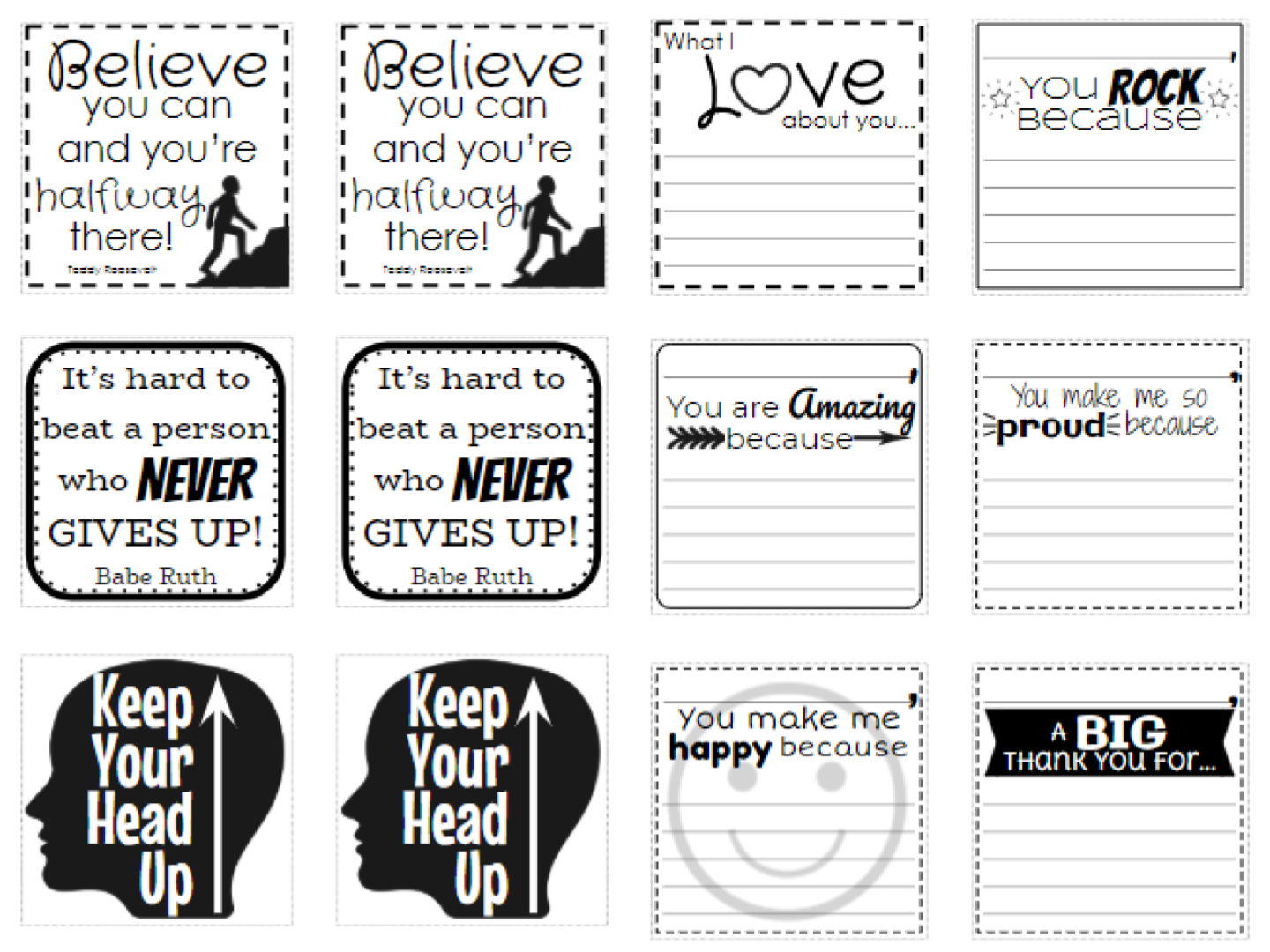
Enjoy!
I designed a set of black and white sticky notes...Happy Notes and Quotes. Inside the file is a link to directions on how to print these sticky notes for yourself
Enjoy!
13 February 2019
A Quick Freebie Google Drawings Graphic Organizer
I am currently taking the Classy Graphics class from Learning In Hand with Tony Vincent to pick up some fun tips and pointers about designing graphics and learning activities in G Suite apps like Google Drawings, Slides, and more.

Our first week assignment was to create a graphic organizer in Google Drawings. The second graders at my school are beginning research on our Moon, so I thought it would be fun to make a little graphic organizer for them to use.


Our first week assignment was to create a graphic organizer in Google Drawings. The second graders at my school are beginning research on our Moon, so I thought it would be fun to make a little graphic organizer for them to use.

Each of the white boxes is a text box. Students can type the facts they find in the boxes. I would also encourage them to type the name of the resource or website where they found there fact.
Get your copy of this graphic organizer by clicking here then clicking the Use Template button.
Enjoy!
Subscribe to:
Posts
(Atom)








StickerMule

Advertisement


